

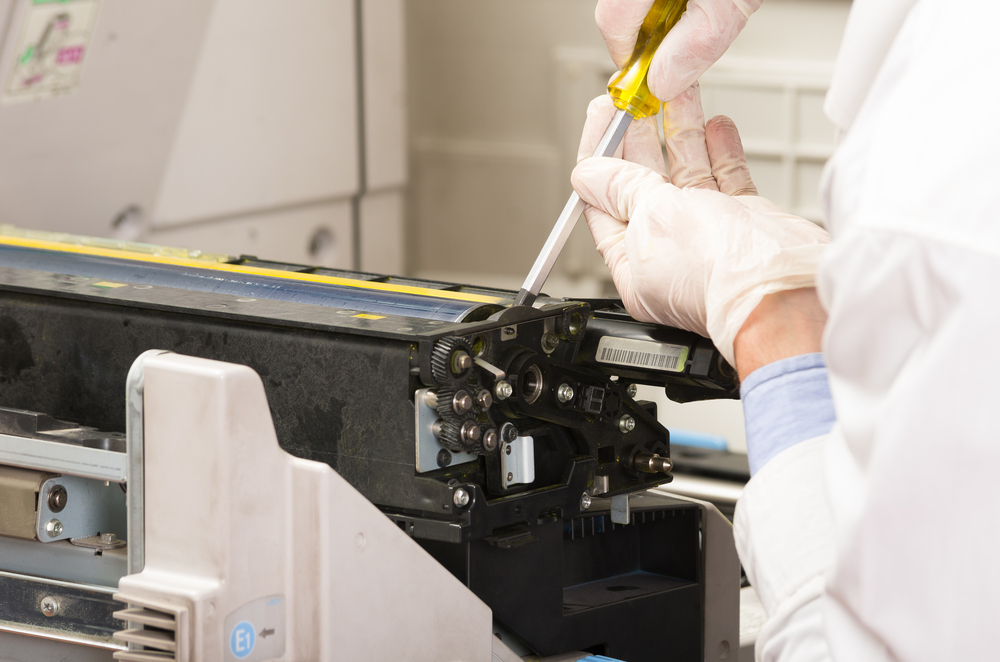
If you have ever pulled a document from your office copier only to find streaks, smudges, or faded text across the page, you already know how frustrating poor copier print quality can be. What most business owners and office managers do not realize, however, is that these problems rarely happen overnight. They build slowly, quietly, and expensively. Dirty copier components are one of the leading causes of degraded output, and without consistent copier maintenance for businesses, those small issues can spiral into major repair costs or full equipment replacement.
For companies relying on copier maintenance in Halethorpe, MD, understanding what is happening inside that machine is the first step toward protecting your investment and your productivity.
The Hidden Damage Dirty Components Cause Inside Your Copier
A modern office copier is a precision machine. Inside its casing, dozens of components work together in tight coordination to transfer toner, heat it to paper, and produce a clean, readable page. When dust, toner residue, paper debris, and oils accumulate on those components, the entire system starts to degrade.
The drum unit is one of the most sensitive parts of any copier. It is responsible for holding the electrostatic charge that attracts toner and transfers it to paper in the correct pattern. When the drum becomes coated with old toner particles or scratched by debris, it cannot hold that charge properly. The result is uneven toner distribution, which shows up as streaks, spots, or faded patches on your printed pages. This is a textbook example of how dirty copier components directly cause office copier performance issues.
The fuser assembly is another critical area. Its job is to apply heat and pressure to bond toner permanently to paper. When residue builds up on the fuser rollers, it creates uneven heat distribution. Pages may come out with toner that smears easily, wrinkles, or has a glossy inconsistency across the surface. Worse, a dirty fuser works harder than it should, which shortens its lifespan considerably.
Paper feed rollers are equally vulnerable. These rubber components grip paper and pull it through the machine at a controlled rate. As they accumulate dust and worn paper fibers, they lose traction. The result is paper jams, misfeeds, and skewed pages, all of which interrupt workflow and cause wear on other internal parts.
How Poor Print Quality Signals a Maintenance Crisis
Business owners often treat print quality issues as minor annoyances. An occasional streak or a slightly off-center page gets ignored because the document is still readable. This mindset is costly. Poor copier print quality is not just an aesthetic problem; it is a diagnostic signal that something inside the machine needs attention.
When print quality starts declining, it usually means one or more components are already past due for cleaning or replacement. Continuing to run the machine in that condition forces other components to compensate, accelerating wear across the board. A drum that is struggling to transfer toner properly puts additional load on the developer unit. A clogged paper path stresses the feed rollers and the motor driving them. Every degraded component affects the ones around it.
For businesses in Halethorpe, MD, waiting too long to address these signals often turns a straightforward copier cleaning and servicing appointment into a major repair bill. The cost of replacing a fuser assembly or a drum unit is significantly higher than the cost of routine preventive maintenance. When you factor in the downtime, the lost productivity, and the wasted consumables, the financial impact of neglect becomes very clear.
What Proper Copier Cleaning and Servicing Actually Involves
Many office managers assume that copier maintenance means replacing toner cartridges and clearing paper jams. That is maintenance at its most superficial level. True copier cleaning and servicing goes much deeper and covers components that most users never see or think about.
A professional maintenance visit for copier maintenance in Halethorpe, MD typically includes cleaning the drum unit and developer assembly to remove old toner buildup. The fuser rollers are inspected and cleaned to ensure even heat transfer. Paper feed rollers are wiped down or replaced if they show signs of wear. The interior of the machine is vacuumed to remove accumulated dust and paper debris. Mirror assemblies and lens components in laser copiers are cleaned carefully to maintain image sharpness. Separation pads, which prevent multiple sheets from feeding at once, are checked and replaced as needed.
Beyond cleaning, a thorough servicing appointment includes checking calibration settings, testing output quality across multiple page types, and inspecting mechanical components for early signs of wear. This level of attention is what separates a copier that performs reliably for years from one that limps along, consuming supplies and frustrating staff.
Copier maintenance for businesses should be scheduled based on usage volume, not just time elapsed. A high-volume office that runs tens of thousands of pages per month needs more frequent attention than a small office with lighter usage. A good service provider will help you establish a maintenance schedule that matches your actual workflow.
The Real Business Cost of Ignoring Office Copier Performance Issues
Let us talk numbers, because this is where the conversation often shifts for business owners. The upfront cost of a maintenance contract or a service visit feels like an expense. The costs of ignoring maintenance, on the other hand, are scattered across your budget in ways that are harder to see but much more significant.
Wasted paper is a direct cost. When dirty copier components cause misprints, jams, and failed jobs, paper is consumed without producing usable output. In a busy office, this waste adds up quickly across a year.
Wasted toner is another hidden cost. When the drum or developer assembly is not functioning correctly, the copier uses more toner than necessary to achieve acceptable output. Toner cartridges run out faster, and replacement costs rise without any corresponding increase in productivity.
Staff time is perhaps the most underappreciated cost. When employees have to deal with repeated paper jams, reprint failed documents, or wait for a technician to come fix a machine that has finally broken down, they are not doing the work they were hired to do. For office copier performance issues that become chronic, the cumulative lost time over a year can be staggering.
Finally, there is the cost of emergency repair versus planned maintenance. When a copier fails suddenly due to neglect, businesses often face rush service fees, the cost of renting temporary equipment, and the full price of replacing components that could have been preserved with regular care. Copier maintenance for businesses is not just a technical consideration; it is a financial one.
Conclusion
Dirty copier components are not a minor inconvenience. They are the starting point for a chain of problems that degrades print quality, increases operating costs, and shortens equipment life. Poor copier print quality is a warning sign, not something to ignore. Consistent copier cleaning and servicing, combined with a proactive maintenance schedule, protects your equipment and your bottom line. For businesses seeking copier maintenance in Halethorpe, MD, investing in regular professional care is one of the smartest operational decisions you can make. Do not wait for a complete breakdown to take your copier seriously. The cost of prevention is always lower than the cost of neglect.
Need Business IT Consultation Near You?
At Premier Business Technologies, we are committed to helping businesses in West Baltimore, MD stay productive and connected with dependable copier sales, fast and effective copier repair, advanced VOIP systems, integrated ringsystem solutions, and managed print services tailored to your needs. Our team focuses on delivering responsive support and innovative office technology that keeps your operations running smoothly while supporting your long-term growth. We understand how costly downtime can be, which is why we work hard to provide reliable solutions and personalized service every step of the way. Contact us today to schedule service, request a free quote, and discover how we can help improve your office efficiency.