

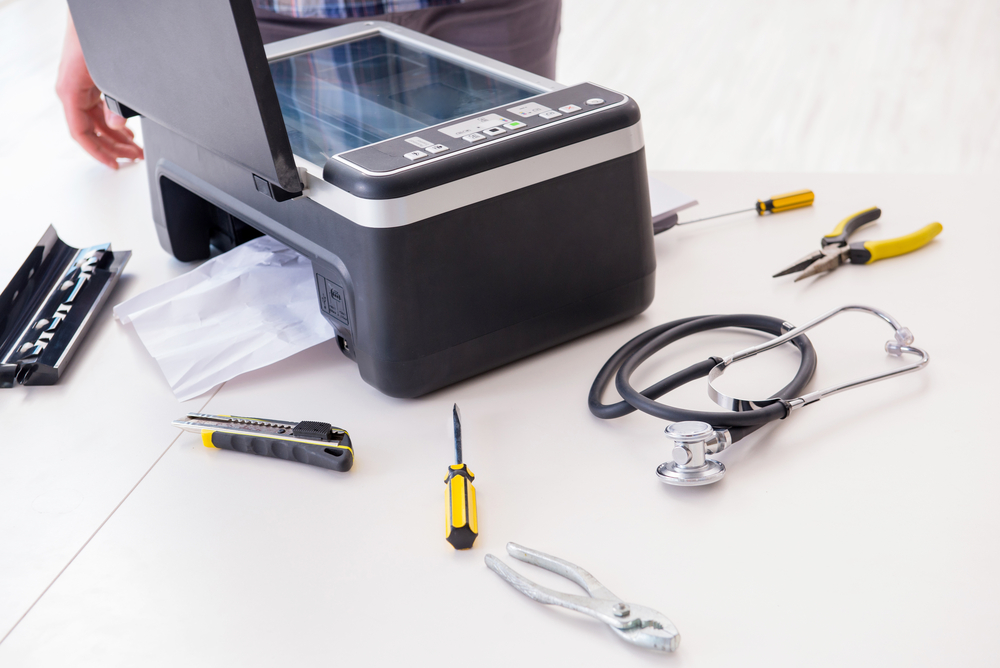
From paper jams to streaky prints, copier problems slow down productivity and drive up costs. Whether you manage a small business or a large corporate office, understanding the most common issues and how to handle them can save you time, money, and stress.
This guide covers the top 10 copier problems in offices, with practical fixes you can apply right away. For businesses in need of professional copier repair in Halethorpe, MD, this resource will also help you know when to call in the experts.
1. Paper Jams
Paper jams are the most common complaint in any office environment. They happen for several reasons, including using the wrong paper type, overloading the paper tray, or allowing small torn pieces to accumulate inside the machine. To fix a paper jam, open every access panel carefully and remove the paper slowly to avoid tearing it further. Always pull in the direction of the paper path. After clearing the jam, check for any small remnants that could cause another blockage. Regular office equipment maintenance includes checking that paper is loaded correctly and that the tray is never overfilled.
2. Poor Print Quality
Streaks, faded text, or blotchy images are signs of poor print quality. This issue is often caused by a low toner cartridge, a dirty drum unit, or incorrect print settings. Start by checking the toner level and replacing the cartridge if needed. Clean the drum unit according to the manufacturer’s instructions. If the problem continues, run a calibration cycle from the settings menu. Consistent copier maintenance helps prevent print quality issues from developing in the first place.
3. Copier Displays Error Codes
Error codes can feel confusing and alarming, but most of them point to a specific, fixable problem. Common error codes relate to paper jams, open covers, low toner, or connectivity issues. The first step is always to consult the user manual or the manufacturer’s online support page. Many error codes resolve themselves once you address the underlying issue, such as closing an open door or replacing a consumable part. If the error code persists after basic troubleshooting, it may be time to contact a technician who specializes in commercial copier troubleshooting.
4. Slow Printing Speed
A copier that prints too slowly can bottleneck your entire workflow. Slow speeds are often caused by large file sizes, low memory in the machine, or network congestion. Try reducing the print resolution for standard documents that do not require high detail. Clearing the print queue and restarting the machine can also help. If your office handles large volumes, consider upgrading to a machine with more processing power. Ongoing copier maintenance ensures that internal components are clean and running efficiently, which directly affects print speed.
5. Connectivity Issues
Modern copiers connect to office networks, cloud services, and mobile devices. When connectivity fails, it disrupts the entire office. Common causes include outdated firmware, IP address conflicts, or a weak Wi-Fi signal. Start by restarting both the copier and the router. Check that the device firmware is up to date, and verify that the IP address assigned to the copier has not changed. If your office uses a wired connection, inspect the Ethernet cable for damage. For persistent connectivity problems, your IT team or a copier repair specialist in Halethorpe, MD can diagnose deeper network-level issues.
6. Toner Smearing
If toner is smearing on your printed pages, the fuser unit is likely the culprit. The fuser applies heat to bond toner to the paper, and when it is not working correctly, the toner stays loose and smears easily. This is more common in older machines or those that have been running heavily without maintenance. Replacing the fuser unit is typically required to fully resolve this issue. As part of routine office equipment maintenance, the fuser should be inspected regularly and replaced based on the manufacturer’s recommended page count.
7. Lines or Marks on Copies
Horizontal or vertical lines running across your copies are a sign that the scanner glass or drum is dirty or scratched. Use a soft, lint-free cloth and a gentle glass cleaner to wipe down the scanner glass. Avoid using rough materials that could scratch the surface. If the lines continue after cleaning, the drum unit may need to be replaced. This is a common issue flagged during commercial copier troubleshooting and is usually straightforward to resolve with basic maintenance.
8. Copier Overheating
Copiers generate heat during operation, but overheating is a sign that something is wrong. It may indicate that the machine is being used beyond its recommended duty cycle, that the ventilation slots are blocked, or that an internal fan has failed. Move the copier away from walls and other equipment to allow proper airflow. Clean the ventilation openings with compressed air to remove dust buildup. If the machine continues to overheat, shut it down and call a technician. Ignoring overheating can lead to more serious and costly damage over time.
9. Wrinkled or Crumpled Pages
Pages that come out wrinkled or crumpled are usually the result of moisture in the paper, worn feed rollers, or issues with the fuser unit. Store paper in a cool, dry place away from humidity to prevent moisture absorption. If the rollers look worn or glazed, they may need to be cleaned or replaced. This is one of those common printer problems that tends to get worse over time if not addressed early. Scheduling regular copier maintenance appointments helps catch roller wear before it becomes a recurring problem.
10. Copier Will Not Turn On
A copier that refuses to power on can signal anything from a simple power issue to a serious internal failure. Start with the basics: check that the power cable is firmly connected, try a different outlet, and inspect the power strip or surge protector if one is being used. Some machines have a reset button on the back or side that can restore power after a surge. If none of these steps work, the issue may be with the internal power supply board, which requires professional copier repair. For businesses in Halethorpe, MD, reaching out to a local service provider quickly can minimize downtime.
Conclusion
Copier problems are inevitable in any busy office, but most of them are manageable with the right knowledge and timely action. From paper jams and toner smearing to connectivity failures and overheating, each issue has a clear path to resolution. Staying on top of copier maintenance and scheduling regular service checks through a qualified technician goes a long way toward preventing these problems from disrupting your workday. When issues go beyond basic troubleshooting, partnering with a reliable provider of commercial copier troubleshooting and copier repair in Halethorpe, MD ensures your equipment stays in peak condition year-round.
Need Business IT Consultation Near You?
At Premier Business Technologies, we are committed to helping businesses in West Baltimore, MD stay productive and connected with dependable copier sales, fast and effective copier repair, advanced VOIP systems, integrated ringsystem solutions, and managed print services tailored to your needs. Our team focuses on delivering responsive support and innovative office technology that keeps your operations running smoothly while supporting your long-term growth. We understand how costly downtime can be, which is why we work hard to provide reliable solutions and personalized service every step of the way. Contact us today to schedule service, request a free quote, and discover how we can help improve your office efficiency.