

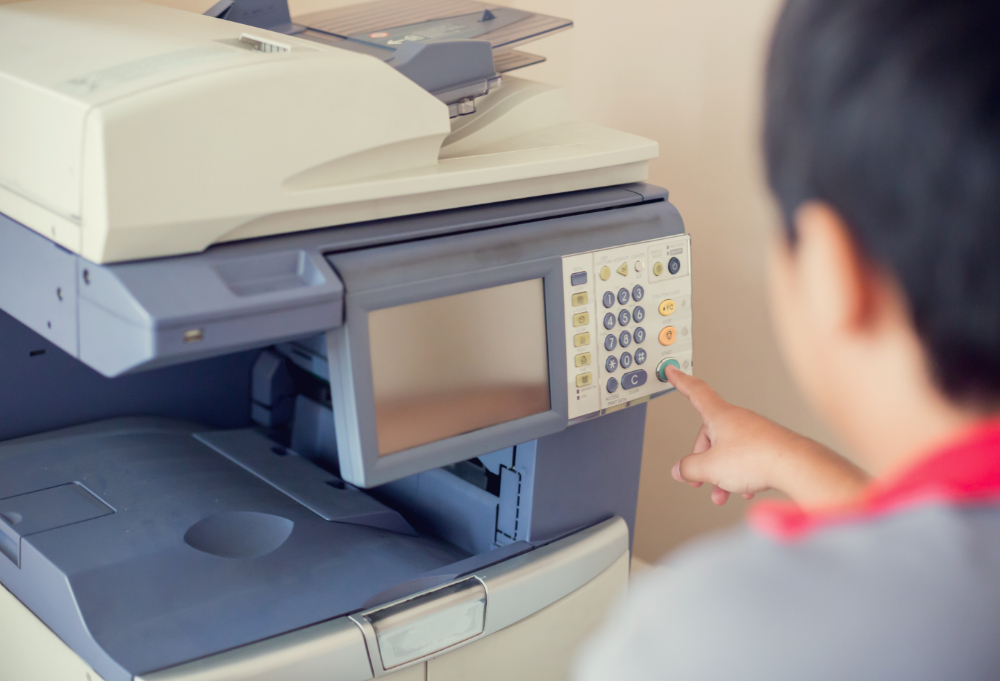
An office copier can become a daily source of frustration long before it stops working completely. For businesses in Halethorpe, where offices, industrial facilities, professional services, and distribution operations often depend on fast document handling, an aging machine can quietly create delays, service calls, and unnecessary workflow problems.
Quick answer: Your office copier may be outdated if it breaks down frequently, prints too slowly for your workload, lacks modern security or scanning features, produces inconsistent output, or costs more to maintain than it delivers in value. When those problems become routine, replacing the device can be more practical than continuing to repair equipment that no longer matches your office’s needs.
What local businesses should know
-
Frequent copier repairs are often a sign that the machine is reaching the point where replacement deserves serious consideration.
-
Businesses around Halethorpe, Arbutus, and Lansdowne may need equipment that can support both traditional office work and document-heavy logistics, industrial, or administrative operations.
-
A newer copier can offer more than faster printing, including scanning workflows, user controls, network connectivity, and security features.
-
The right replacement should be sized for your actual monthly usage rather than simply matching the specifications of your old machine.
-
Comparing long-term operating needs can be more useful than choosing a copier based only on its purchase price.
Why Does an Outdated Copier Matter for Halethorpe Businesses?
An outdated copier matters because recurring equipment problems can interrupt everyday work, slow employees down, and make routine document tasks harder than they need to be. In the Halethorpe area, where businesses benefit from access to I-95, I-695, I-895, I-295, BWI-area commerce, and nearby employment centers, dependable office technology can help keep administrative workflows moving.
Baltimore County planning materials describe the broader Halethorpe-Arbutus area as a logistics and distribution hub with a mix of technology, industrial, and other businesses. That variety means copier needs can differ considerably from one workplace to another.
Premier Business Technologies helps area organizations evaluate office equipment based on the way they actually work. After reviewing printing volume, document workflows, required features, and recurring equipment problems, we can help businesses compare replacement options without simply assuming the newest or largest machine is the right one.
What Do We See Most Often With Aging Office Copiers?
Aging office copiers usually show their age through a combination of downtime, declining performance, workflow limitations, and rising maintenance needs rather than one dramatic failure. A machine may still print, but employees often begin working around recurring jams, slow processing, inconsistent output, or outdated features before management considers replacement.
For offices throughout southwest Baltimore County, that lost time can add up quickly. Employees who repeatedly reprint documents, wait for a machine to restart, or walk to another department because the primary copier is unavailable are spending time managing equipment instead of completing their normal work.
That is why copier age alone should not determine whether replacement makes sense. Actual performance in the workplace is the more useful measure.
What Are the 5 Red Flags Your Office Copier Is Outdated?
The five biggest red flags are frequent breakdowns, slower performance, poor print quality, outdated technology, and increasing service or operating problems. Any one issue may be manageable, but several appearing together usually indicate that the copier no longer supports the office as effectively as it once did.
1. Repairs and Paper Jams Are Becoming Routine
A copier that constantly needs attention is disrupting productivity even if each individual problem seems minor. Repeated jams, error messages, feeding problems, or service calls can indicate worn components or a machine that is struggling under its current workload.
For a busy Halethorpe office, the key question is not simply whether the copier can be repaired. Consider how often employees are losing access to it and whether recurring maintenance is becoming part of the normal workweek.
2. The Copier Cannot Keep Up With Your Office
A machine that once seemed fast enough may feel painfully slow after a business grows or document demands change.
Employees may regularly wait for large print jobs, experience delays when several users send files at once, or find that scanning multi-page documents takes too long. Businesses in nearby Arbutus, Relay, and Baltimore Highlands may also have very different output needs today than they did when their existing equipment was installed.
If your team has adapted its workflow around the copier’s limitations, the device may be undersized for the job.
3. Print Quality Has Become Inconsistent
Faded text, streaks, spots, uneven toner, repeated marks, and unreliable color output can make everyday business documents look unprofessional.
Some quality problems can be corrected through normal maintenance or component replacement. The concern grows when those problems repeatedly return or when employees routinely print multiple copies just to get one acceptable document.
For offices producing customer-facing proposals, invoices, reports, presentation materials, or internal records, consistency matters.
4. Important Modern Features Are Missing
Older copiers may lack capabilities that have become useful for modern offices, including improved document scanning, searchable file workflows, user authentication, network integration, mobile printing, and more detailed access controls.
This can be especially noticeable for organizations working between offices, warehouses, field locations, or remote environments around the Baltimore region.
A copier does not need every available feature. It does need the features that support how your employees currently create, share, store, and protect documents.
5. Keeping the Old Copier Is Becoming Harder to Justify
An aging copier may still function while requiring more attention, more frequent service, or harder-to-source parts and supplies.
At that point, businesses should compare what they are spending to maintain the current device with what they would gain from replacement. The calculation should include downtime and employee inconvenience, not just repair invoices.
A machine that appears inexpensive because it is already paid for can still carry substantial operational costs.
When Should You Call an Office Copier Professional?
You should involve an office copier professional when recurring problems affect productivity, repair decisions become frequent, or you are unsure what equipment capacity your workplace actually needs. Employees can safely monitor symptoms such as jams, slow output, declining quality, and recurring error messages, but equipment selection benefits from a broader review of usage and workflow.
Before choosing a replacement in Halethorpe, collect basic information about your current machine. Note how many people use it, which functions matter most, where delays occur, whether you regularly print in color, and whether employees depend heavily on scanning.
That information provides a much better starting point than choosing a device based only on brand familiarity or advertised speed.
What Common Factors Cause Businesses to Outgrow Their Copiers?
Businesses most often outgrow copiers because staffing, print volume, digital workflows, security requirements, or document complexity change while the equipment remains the same. A copier selected for a smaller office several years ago may simply be serving a different organization today.
Common causes include:
-
Business growth: More employees and customers can mean more simultaneous print and scan activity.
-
Higher document volume: Administrative, logistics, accounting, and operations teams may process more paperwork as workloads increase.
-
New digital workflows: Offices may need better scanning, file routing, or document management capabilities.
-
Changing security expectations: Older devices may offer fewer options for controlling user access or protecting document workflows.
-
A mismatch from the beginning: Some businesses inherit equipment from a previous office or select a machine without accurately estimating usage.
The commercial mix around Halethorpe, the Beltway business community, UMBC, and the BWI corridor also means a small professional office may have very different requirements from a warehouse, technology company, or larger administrative operation.
How Can You Extend the Useful Life of an Office Copier?
You can extend a copier’s useful life by following scheduled maintenance, using appropriate supplies, addressing recurring errors early, and avoiding workloads that consistently exceed the machine’s intended capacity. Preventive attention cannot make an undersized or obsolete copier suitable forever, but it can help properly matched equipment operate more reliably.
Employees should avoid repeatedly forcing jammed paper through the machine, ignoring persistent error messages, or continuing to use a copier that produces obvious mechanical symptoms.
It is also useful to review your equipment needs periodically. A copier that was perfectly appropriate several years ago may no longer fit the office after staffing or workload changes.
What Results Can You Expect From Replacing an Outdated Copier?
Replacing an outdated copier should give your business equipment that better matches its current print volume, speed requirements, document workflows, and feature needs. The exact improvement depends on what is causing the problems now, so replacement should begin with identifying those pain points rather than purchasing equipment based on specifications alone.
For some Baltimore County businesses, faster output may be the priority. For others, the biggest improvement could come from better scanning, fewer interruptions, easier network use, improved document controls, or consolidating several functions into one appropriately configured device.
The goal is not simply to own a newer copier. It is to reduce friction in everyday office work.
What Mistakes Should Businesses Avoid When Replacing a Copier?
The biggest copier replacement mistakes are buying solely on price, selecting more machine than the office needs, underestimating future volume, and overlooking workflow requirements. A better approach is to compare the copier against actual employee usage and the problems you are trying to solve.
Mistake: Choosing the cheapest machine available.
Consequence: The copier may lack the capacity or features needed for daily workloads.
Better approach: Compare total requirements, not just the initial price.
Mistake: Assuming a bigger copier is automatically better.
Consequence: You may pay for speed, finishing options, or capacity your staff rarely uses.
Better approach: Size the device to realistic usage.
Mistake: Replacing the old machine with an almost identical model.
Consequence: You may preserve the same workflow limitations for years.
Better approach: Review how your document processes have changed.
Mistake: Waiting for complete failure.
Consequence: A sudden breakdown can force a rushed equipment decision.
Better approach: Begin evaluating options while the existing copier is still operational.
What Is a Common Copier Replacement Scenario in Halethorpe?
A common local scenario is an office that continues repairing an older copier because each individual service issue seems easier than replacing the machine. Over time, employees begin expecting jams, slow print queues, restarts, or inconsistent scanning and gradually build those interruptions into their normal routines.
Eventually, management realizes the question is no longer whether the copier technically works. The better question is whether it still supports the business efficiently.
Reviewing equipment before complete failure gives an organization time to compare volume requirements, features, and replacement choices without making an emergency decision.
What Office Copier Solutions Should a Business Consider?
Businesses should consider copier solutions based on print volume, color requirements, scanning needs, network use, finishing features, security controls, available space, and expected growth. A thoughtful equipment review can help determine whether the workplace needs a multifunction copier, a different capacity level, or a revised combination of office devices.
We can help local businesses assess their current equipment and discuss options that align with how employees actually use the system.
How Should You Compare Repairing and Replacing a Copier?
Repairing makes sense when the copier still meets your needs and the problem is isolated, while replacement becomes more compelling when failures are recurring or the machine no longer fits your workflow. Businesses should weigh reliability, performance, required features, maintenance frequency, and expected future use together.
A repair can be reasonable for a well-matched machine with a fixable problem. Replacement deserves stronger consideration when repairs restore operation temporarily but do not address slow performance, limited functionality, recurring downtime, or changing office needs.
Where Do We Help Businesses With Copier Needs?
We serve businesses in Halethorpe and the surrounding Baltimore-area communities that need dependable office technology and help evaluating copier options. Nearby areas such as Arbutus, Lansdowne, Relay, Baltimore Highlands, and Catonsville are part of the broader southwest Baltimore County business environment.
Local organizations also operate near major employment and transportation corridors including I-95, I-695, I-895, I-295, UMBC, and BWI Marshall Airport.
What Can Happen If You Keep an Outdated Copier Too Long?
Keeping an outdated copier too long can increase downtime, employee frustration, repeated service needs, and the risk of having to make a rushed replacement decision after a major failure. The cost of waiting is often less about one dramatic event and more about the accumulated effect of small interruptions.
Planning ahead gives your team more time to identify requirements, compare equipment, and choose a solution based on long-term needs instead of immediate pressure.
Frequently Asked Questions About Office Copier Replacement
How do I know if my Halethorpe office copier needs replacement?
Your copier may need replacement if recurring jams, service calls, slow performance, inconsistent output, or missing features are disrupting normal work. One repair does not necessarily justify replacing a machine, but a pattern of reliability and performance problems is a good reason to compare the current equipment with newer options.
Is it better to repair or replace an office copier in Halethorpe?
Repair is usually worth considering when the machine still meets your needs and has an isolated problem, while replacement makes more sense when issues are recurring or the copier is no longer suitable for your workload. Compare reliability, repair frequency, employee downtime, feature limitations, and expected future use before deciding.
What should a Baltimore County business look for in a new copier?
A Baltimore County business should evaluate monthly document volume, required print speeds, color needs, scanning workflows, security features, finishing requirements, available space, and expected growth. The right copier is one that supports everyday work without significantly exceeding or falling short of what employees realistically need.
Should I wait until my copier completely stops working?
No, waiting for complete failure can turn a planned equipment decision into an urgent one. If your Halethorpe office is already experiencing recurring issues, evaluating replacement options while the copier remains usable can provide more time to compare equipment and determine which features and capacity are appropriate.
Does copier speed really matter for a small office?
Copier speed matters when employees regularly wait for print jobs or several people use the machine at the same time. A small Arbutus or Halethorpe office may not need the fastest available device, but it should have enough capacity to prevent routine print queues from interrupting employees’ work.
Are newer copiers mainly about better print quality?
No, newer copiers can also improve scanning workflows, network connectivity, user controls, document handling, and other office processes depending on the model selected. For businesses around the BWI and southwest Baltimore County corridors, those workflow capabilities may matter as much as the quality or speed of printed pages.
How can I choose the right copier size for my office?
Choose copier capacity by looking at actual usage rather than guessing from the number of employees. Review monthly print activity, peak workloads, frequent job sizes, color use, scanning needs, and expected growth. A professional assessment can help a Baltimore-area business avoid choosing equipment that is either undersized or unnecessarily large.
What information should I gather before discussing replacement?
Gather your approximate print volume, number of users, recurring problems, essential features, color requirements, scanning habits, and any workflow frustrations employees experience. For a Halethorpe business, documenting these details before discussing equipment makes it easier to focus on solutions that address real operational needs rather than comparing specifications without context.
Make Your Next Office Copier Fit the Way Your Business Works
An aging copier should not dictate how efficiently your employees can complete routine work. By watching for recurring breakdowns, slow performance, quality problems, outdated features, and mounting maintenance concerns, Halethorpe businesses can begin evaluating replacement options before equipment failure forces a rushed decision.
Reduce Copier Downtime in Your Halethorpe Office
We can help you evaluate your current copier, identify the features your workplace actually needs, and explore equipment options designed around your day-to-day workflow.